This is the question every aspiring club DJ eventually asks. Pioneer CDJs are in virtually every professional club DJ booth in the world. Does that mean you need to own them to break into clubs? The honest answer is more nuanced than a simple yes or no — and understanding the difference between owning CDJs and knowing how to use them is the key.
The Short Answer
No — you don’t need to own CDJs to get club gigs. But you absolutely need to know how to use them.
Clubs provide CDJs. What they don’t provide is the knowledge of how to operate them, how to prepare your library for them, or how to navigate the booth under pressure. That’s on you — and developing that knowledge doesn’t require owning the hardware.
What CDJs Are and Why Clubs Use Them
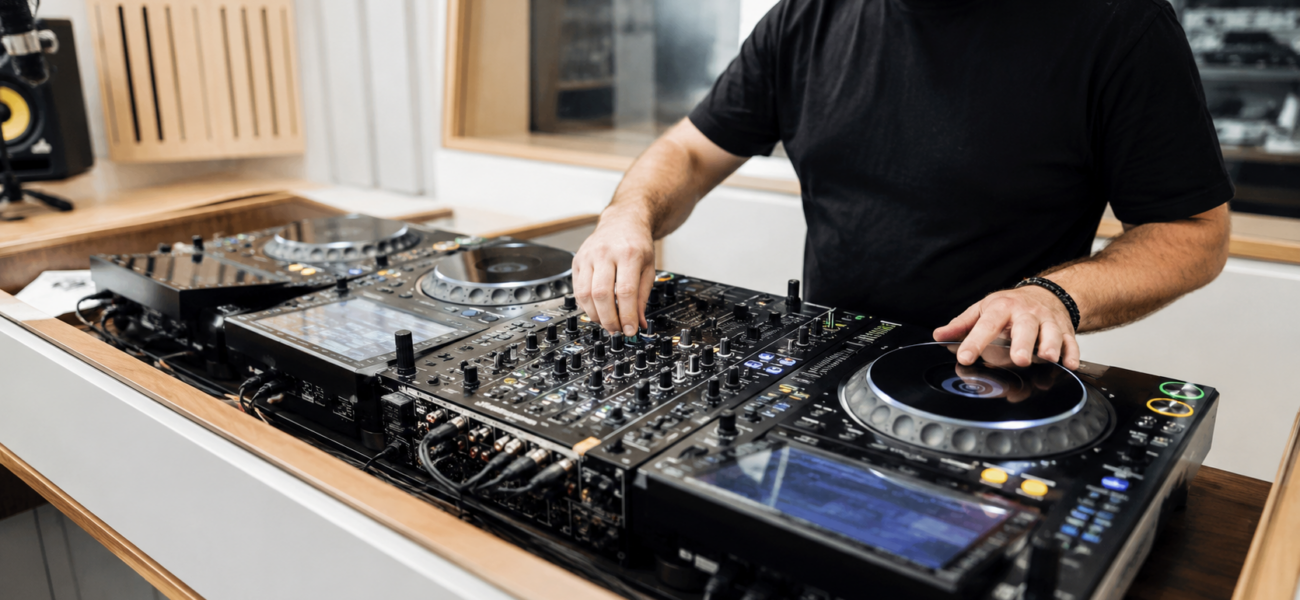
Pioneer CDJ-2000NXS2s and CDJ-3000s are the industry-standard professional media players found in virtually every major club DJ booth worldwide. They’re large standalone units that read USB drives or link to a laptop via rekordbox, connect to Pioneer DJM mixers, and run the rekordbox ecosystem.
Clubs standardize on CDJs for two reasons: reliability (they’re rock solid and well-supported) and universality (any DJ in the world can plug in a USB drive and perform without needing to bring their own setup). For the club, CDJs eliminate the chaos of every DJ bringing different gear and needing different setups.
What You Actually Need to Get Club Gigs
1. A rekordbox-Prepared USB Drive
The fundamental deliverable for any CDJ gig is a USB drive with your music, cue points, and playlists loaded through rekordbox. This requires:
- rekordbox installed on your laptop (free tier is sufficient for USB export)
- Your tracks imported and analyzed in rekordbox
- Cue points set on every track you plan to play
- Playlists organized by genre and energy level
- The library exported to a compatible USB drive (USB-A, FAT32 formatted)
2. CDJ Proficiency Before Your First Gig
Knowing how to operate CDJs before you step into a club booth is non-negotiable. The layout is different from a controller, the jog wheel feels different, and navigating your rekordbox library on the CDJ screen takes practice. Showing up to your first club gig having never touched CDJs is a recipe for a disaster that will follow your reputation.
3. A Strong Demo Mix
What actually gets you booked is not the equipment you own — it’s a great 30–60 minute recorded mix that represents your best work. Clubs book DJs based on sound, vibe, and fit for their audience. Nobody asks what gear you own. They ask for a mix.
4. Your Own Headphones
Always bring your own. Never rely on whatever headphones are in the booth — they’re often broken, uncomfortable, or completely absent. Your headphones are non-negotiable personal equipment that you own regardless of CDJ ownership.
How to Practice on CDJs Without Owning Them
DJ Practice Studios
Most cities have DJ schools or rehearsal studios with Pioneer CDJ setups available to rent by the hour — typically $15–$30/hour. Book time specifically to practice your CDJ workflow: loading your USB, navigating the library, setting cue points from the booth, and getting comfortable with the physical feel of the jog wheel. 5–10 sessions is usually enough to get proficient.
Other DJs’ Setups
If you know established DJs who own CDJs, offer to help them at their gigs, attend their sessions, and ask for practice time on their equipment. The DJ community is generally generous with this kind of help — especially if you’re clearly serious about developing.
Pioneer Controller Bridge
Several Pioneer controllers replicate the CDJ workflow closely enough that skills transfer directly. The DDJ-1000 and DDJ-REV7 both have full-size motorized jog wheels and the complete rekordbox interface. Practicing on these controllers in Performance mode gives you CDJ-adjacent muscle memory without the CDJ price tag.
rekordbox Software Practice
Even before you touch CDJ hardware, practice building and organizing your rekordbox library. Learn the My Tag system, set cue points on all your key tracks, build playlists by energy level and genre, and practice exporting to USB. This pre-work means your first CDJ session is about hardware familiarity, not library panic.
The CDJ Lineup — What You’ll Encounter in Clubs
The current flagship CDJ. 9-inch touchscreen, WiFi streaming, improved jogwheel feel, and the best rekordbox integration available. Found in top-tier clubs and festival main stages. If you’re preparing for major club work, this is what you’ll encounter most.
Still the most common CDJ in clubs worldwide despite being the previous generation. Solid, reliable, and found in the vast majority of professional club booths. If you can operate a CDJ-2000NXS2, you can play almost anywhere in the world.
An all-in-one unit combining two CDJ-style media players with a DJM mixer in a single unit. Used in smaller clubs, DJ schools, and home setups. Good for learning the CDJ workflow but not identical to the two-CDJ-plus-mixer booth configuration found in major venues.
Should You Eventually Buy CDJs?
If club DJing is your serious long-term goal and you’re playing regularly — yes, eventually. But not before you’re earning enough from DJing to justify the investment, and not before you have the skills to fully use them.
A pair of CDJ-2000NXS2s plus a DJM-900NXS2 mixer used will cost approximately $3,000–$4,000. That’s a significant investment that makes sense once you’re actively gigging and the practice time on your own equipment will directly improve your professional work.
If you’re just starting out: practice at a DJ school, build your rekordbox skills, get your first gigs with a USB drive, and reinvest your earnings into equipment gradually.
Frequently Asked Questions
What if the club has different CDJs than I practiced on?
The core workflow — USB drive, rekordbox library, cue points, browse wheel, play/cue buttons — is consistent across CDJ-2000NXS2 and CDJ-3000. The screen layout differs slightly, but if you’re proficient on one you can adapt to the other within minutes. Always arrive early to a new booth and spend 10–15 minutes getting oriented before the crowd arrives.
Can I use my laptop instead of a USB drive in a club?
Technically yes — you can link a laptop running rekordbox to CDJs via ethernet (rekordbox Link). Some clubs allow this, others don’t (they prefer the reliability of USB). Always confirm with the venue before the gig. In general, USB is the more professional and reliable approach.
How do I get my first club gig without a track record?
Start smaller than you think you need to. Open decks nights, smaller bars, house parties with a real crowd — every gig adds to your story. Record a clean, professional demo mix. Build relationships with promoters and established DJs. Get on support slots before headlining. The first club gig comes through relationships and a strong mix, not through owning CDJs.
Do I need a DJM mixer or can I use mine?
Clubs provide their own mixers — always a Pioneer DJM in a CDJ setup. You plug your USB into the CDJs and use the venue’s mixer. You don’t bring your own mixer to club gigs. Only mobile DJs bring their own equipment.
Great CDJ Sets Start with Great Music
Your rekordbox USB is only as good as the music on it. MyMP3Pool gives you 200,000+ tracks at 320kbps — ready to analyze, cue, and play from your first club booth.
Visit MyMP3Pool →
ⓘ Affiliate link — we may earn a commission at no extra cost to you
The Best DJ Record Pool We've Tested
After independently reviewing every major record pool, mp3poolonline.com consistently comes out on top for catalog size, audio quality, new release speed, and price.
Visit mp3poolonline.com →ⓘ Affiliate link — we may earn a commission at no extra cost to you