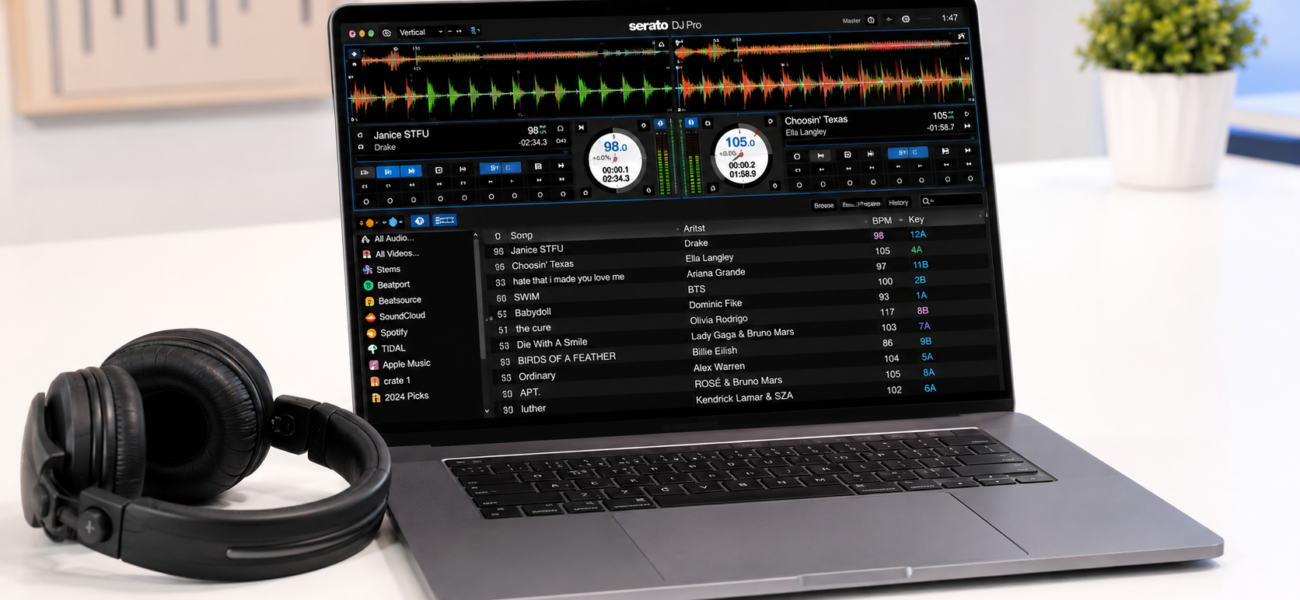
Your laptop is the engine of your DJ setup. Run the wrong one and you’ll experience audio dropouts, software crashes, and latency issues at exactly the wrong moment. Run the right one and it disappears into the background — you never think about it. Here’s exactly what you need in 2026, and what you can safely skip.
Minimum vs Recommended Specs
| Spec | Minimum | Recommended |
|---|---|---|
| Processor | Intel i5 (8th gen) / AMD Ryzen 5 | Apple M1/M2/M3 or Intel i7 (10th gen+) |
| RAM | 8GB | 16GB |
| Storage | 256GB SSD (system only) | 512GB+ SSD or external SSD for music |
| USB Ports | 2x USB-A | 3x USB-A + USB-C (with adapter) |
| Operating System | Windows 10 / macOS 11 | Windows 11 / macOS 13+ |
| Display | 13″ | 13–15″ — portability vs visibility |
| Battery Life | 4 hours | 8+ hours (always plug in for gigs) |
Mac vs Windows for DJing
Mac (Apple Silicon) — The Gold Standard
Apple M-series chips (M1, M2, M3) handle audio processing with exceptional efficiency. DJ software runs natively on Apple Silicon — Serato, rekordbox, Traktor, and Virtual DJ all have Apple Silicon-optimized versions. The thermal performance means the laptop never throttles under load, the battery life is exceptional, and crashes are rare.
If budget allows, a MacBook Air M2 or MacBook Pro M3 is the best DJ laptop money can buy in 2026. The MacBook Air M2 (~$999 refurbished) is the most popular professional DJ laptop right now for good reason.
Windows — Totally Viable, Needs More Care
Most DJs worldwide use Windows laptops successfully. The key is choosing the right hardware and configuring it correctly. A mid-range Dell XPS, Lenovo ThinkPad, or ASUS ROG with an Intel i7 and 16GB RAM will perform excellently for DJing.
Windows requires more active management: power settings, background app control, audio driver optimization. On Mac most of this happens automatically. On Windows, you’re the system administrator.
Top Laptop Recommendations
The most popular professional DJ laptop. Fanless design means complete silence during gigs. 18-hour battery life. Handles Serato, rekordbox, and Traktor effortlessly. The 8GB RAM version is fine for DJing — 16GB if you also produce music.
The lack of fans is particularly valuable for DJing — no thermal throttling and complete silence in a quiet booth.
Overkill for DJing alone, but the right choice if you also produce music, edit audio, or work with video. The M3 Pro chip handles everything you can throw at it. More ports than the Air means less reliance on hubs and adapters.
The Windows DJ laptop of choice for many professionals. Excellent build quality, reliable performance, and a screen large enough to comfortably see your waveforms. Requires proper Windows optimization before gigging (see below).
Rock-solid reliability at a lower price point. Business-grade durability, good keyboard, adequate performance for all major DJ software. Not glamorous — genuinely good at its job.
Critical Windows Settings (Do These Before Every Gig)
Set Power Plan to High Performance
Control Panel → Power Options → High Performance. Never let Windows throttle the CPU during a gig. Battery saver mode is a trainwreck waiting to happen.
Disable Windows Update During Gigs
Windows updates have crashed DJ sets. Before a gig: Settings → Windows Update → Pause updates for 7 days. Resume after the gig.
Use ASIO Drivers
ASIO4ALL (free) provides low-latency audio drivers for Windows. Without ASIO, Windows audio routing adds latency that can cause timing issues. Install ASIO4ALL and set it as your audio driver in your DJ software.
Close All Background Apps
Before every gig: close your browser, email, cloud sync (Dropbox, Google Drive, iCloud), antivirus scans, and any other running applications. DJ software needs every available CPU cycle.
Disable WiFi if Not Using Streaming
WiFi background processes can cause audio dropouts. If you’re not using streaming integration, turn WiFi off before performing.
Storage: Keep Your Music Separate
Never store your music library on your system drive alongside your operating system. Use either a dedicated partition or — better — a portable SSD for your music library.
- Samsung T7 Portable SSD (~$80 for 1TB) — the most popular choice among professional DJs. Fast, compact, reliable, USB-C.
- SanDisk Extreme Portable SSD (~$70 for 1TB) — excellent alternative with similar performance.
A dedicated music drive has two major advantages: it makes backing up your library simple (just copy the drive), and it means your DJ setup is portable — you can connect your library to a different laptop if yours fails.
The Backup Plan (Essential for Professionals)
Laptops fail. They’ve failed at festivals, at clubs, at weddings. If your laptop is a single point of failure at a paid event, you have a problem waiting to happen. Have at least one of these:
Option A: A pre-loaded rekordbox USB drive with your key tracks so you can run the set off CDJs if your laptop fails.
Option B: A second laptop (even an older one) with your DJ software and library installed.
Most professional DJs carry a USB backup. It costs nothing beyond preparation time.
Frequently Asked Questions
Can I DJ on an iPad?
Yes — djay Pro AI on iPad is genuinely capable and used by some professional DJs. However, the library management workflow is more limited than laptop-based software, and hardware compatibility is narrower. iPad DJing is best suited for specific use cases (djay Pro with Apple Music integration) rather than as a primary professional setup.
How much RAM do I actually need?
8GB is the functional minimum. 16GB is the comfortable recommendation for DJing with nothing else running. If you also run music production software alongside your DJ setup, 32GB becomes relevant. For DJing only, 16GB handles everything.
Do I need a gaming laptop?
No. Gaming laptops are optimized for GPU performance, which DJ software doesn’t use. They also tend to be heavy, loud (fans), and have shorter battery life — all negatives for DJing. A business-class or consumer laptop with good CPU and RAM is a better choice than a gaming laptop at the same price.
Should I buy a new laptop or refurbished?
Refurbished Apple products (from Apple’s official refurbished store or reputable resellers) are an excellent value for DJing. Apple-certified refurbished MacBooks come with a one-year warranty and are often indistinguishable from new. A refurbished MacBook Air M2 at $899–999 is the sweet spot for most DJs.
Fill Your SSD with 320kbps Downloads
Now that your setup is sorted, fill it with high-quality music. MyMP3Pool gives you 200,000+ tracks at 320kbps — the format that makes your setup sound its best.
Visit MyMP3Pool →
ⓘ Affiliate link — we may earn a commission at no extra cost to you
The Best DJ Record Pool We've Tested
After independently reviewing every major record pool, mp3poolonline.com consistently comes out on top for catalog size, audio quality, new release speed, and price.
Visit mp3poolonline.com →ⓘ Affiliate link — we may earn a commission at no extra cost to you