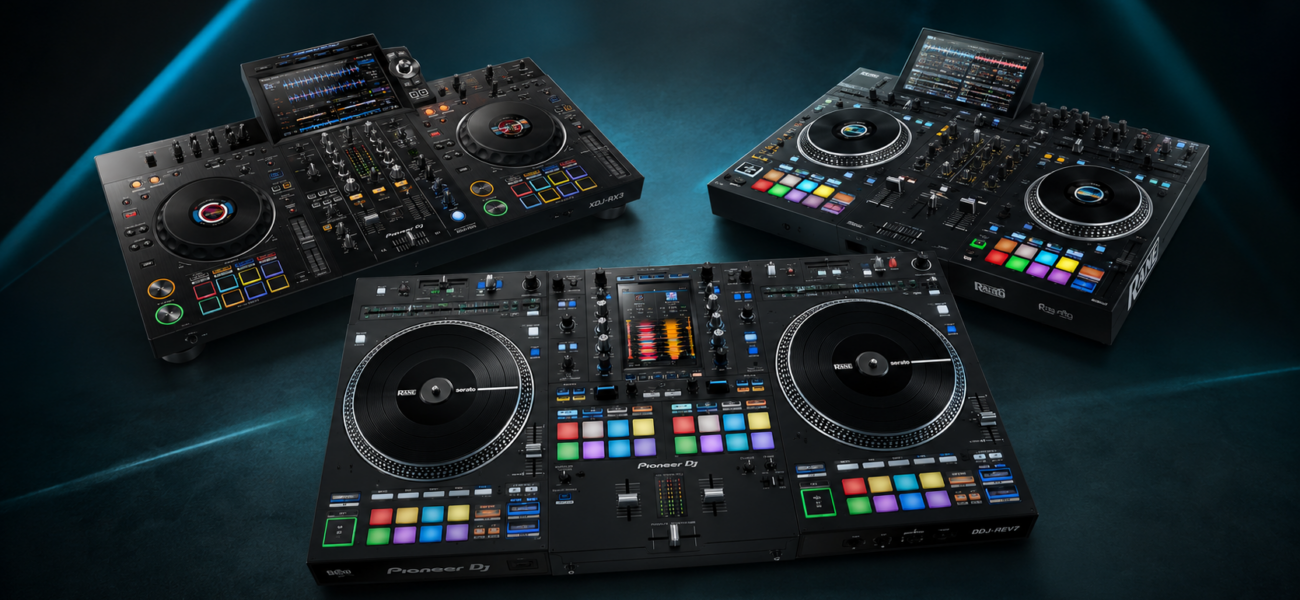
The DJ controller market is overwhelming when you’re starting out. Hundreds of options, wildly different prices, and every manufacturer claiming theirs is the best. This guide cuts through the noise with an honest breakdown of what you actually need as a beginner — and what you’re wasting money on if you overspend.
What Is a DJ Controller?
A DJ controller is a hardware device that connects to DJ software on your laptop. It has physical jog wheels, faders, knobs, and buttons that control the software — giving you a tactile, hands-on experience rather than using a mouse and keyboard. Most controllers include a built-in audio interface so you can connect headphones and speakers simultaneously, hearing one track in your headphones while the other plays through the speakers.
What Beginners Actually Need
You don’t need the most expensive controller. You need a controller that:
- Works with major DJ software — Serato, rekordbox, or Virtual DJ
- Has full-size jog wheels — small or non-motorized platters that feel responsive
- Has a built-in sound card — so you can use headphones and speakers simultaneously
- Is durable enough — to survive regular transport and practice sessions
- Is from a reputable manufacturer — Pioneer, Numark, Denon, Rane. Avoid no-name brands.
What you don’t need as a beginner: 4 decks, motorized platters, built-in screens, 8-channel mixers, or the most expensive model in any manufacturer’s lineup. These features add cost without adding learning value.
Our Top Pick
The DDJ-FLX4 is the best beginner controller available right now, and it’s not particularly close. It works natively with both rekordbox and Serato DJ Pro — the two most important DJ platforms — meaning you’re not locked into one ecosystem from the start. It’s built by Pioneer, the company that makes the CDJ equipment you’ll eventually use in professional club venues, so the muscle memory you develop on this controller transfers directly.
The jog wheels are full-size and responsive. The sound card is solid. The layout is clean and intuitive — close enough to the CDJ interface that learning on this controller genuinely prepares you for club booths. At $299, it’s excellent value.
Full-Size Jogs
Built-In Soundcard
Pioneer Build Quality
~$299
Other Controllers Worth Considering
The most affordable Pioneer option. Works with rekordbox, djay Pro, and WeDJ. Smaller jog wheels than the FLX4 and no standalone sound card — you’ll need a separate audio interface for headphone cue monitoring. Good starter if budget is the primary concern, but the FLX4 is worth the extra $100.
A popular beginner option with a built-in soundcard, full-size jog wheels, and Serato DJ Lite included. Solid build quality for the price. The main limitation is that Numark is outside the Pioneer ecosystem — the workflow and layout are different from club CDJ setups, so muscle memory doesn’t transfer as directly.
The most affordable option on this list. Compact, lightweight, works with Virtual DJ and Serato Lite. The jog wheels are small and not ideal for serious practice, and it won’t prepare you for club equipment. But if your absolute ceiling is $100, this gets you started with real DJ software.
The Full Comparison
| Controller | Price | Software | Jogs | Soundcard | Best For |
|---|---|---|---|---|---|
| Pioneer DDJ-FLX4 | ~$299 | Serato + rekordbox | Full-size | Built-in | Best overall pick |
| Pioneer DDJ-200 | ~$199 | rekordbox / djay | Smaller | No | Tight budget |
| Numark Mixtrack Pro FX | ~$199 | Serato Lite | Full-size | Built-in | Serato learners |
| Hercules Starlight | ~$99 | Virtual DJ | Small | Built-in | Absolute minimum |
Should You Buy New or Used?
Used DJ controllers are an excellent option. They hold up well mechanically — the main failure points are sticky faders and unresponsive jog wheels, both of which you can check before buying. A used DDJ-400 or DDJ-SB3 in good condition is a great deal and the workflow is essentially identical to the FLX4.
Where to buy used: eBay, Facebook Marketplace, Reverb.com, and GearSpace. Always ask to see the controller powered on and working before paying. Check every fader, knob, and jog wheel individually.
When to Upgrade
Upgrade your controller when you’ve outgrown it — not before. Signs you’re ready to move up:
- You’re playing paid gigs regularly and the controller’s limitations are affecting your performance
- You want 4-deck mixing that your current controller doesn’t support
- You’re ready to invest in a CDJ setup for club-level performance
- You want motorized platters for a more vinyl-like feel (DDJ-REV7, DDJ-1000)
Don’t upgrade because you think better gear will make you a better DJ. It won’t. Skill development happens through practice and gigs — not equipment. A beginner on a $299 controller who practices daily will outperform a beginner on a $1,500 controller who practices weekly.
What Else Do You Need?
- Laptop — Mac or Windows, at least 8GB RAM, dedicated SSD for music. See our laptop guide for full specs.
- Headphones — Sennheiser HD 25 (~$149) or Pioneer HDJ-X5 (~$129). Never start without proper DJ headphones.
- DJ software — Download Serato DJ Lite (free) or rekordbox (free) to get started. Full versions available when you’re ready to invest.
- Record pool subscription — You need music. A MyMP3Pool subscription gives you immediate access to 200,000+ tracks from day one.
- Studio monitors — For practice at home. Yamaha HS5 (~$200 each) are the standard. Don’t practice on Bluetooth speakers.
Frequently Asked Questions
Do I need motorized platters as a beginner?
No. Motorized platters add weight, cost, and fragility without adding meaningful learning value for beginners. The DDJ-FLX4’s standard jog wheels teach the same skills. Motorized platters are a nice-to-have for experienced DJs who want a vinyl-like feel — not a beginner necessity.
Can I use a DJ controller without a laptop?
Some high-end controllers have standalone mode (no laptop required), but these are advanced and expensive. As a beginner, you need a laptop. Standalone controllers come later when you’ve outgrown the laptop workflow.
Is the Pioneer DDJ-FLX4 good enough for club gigs?
For smaller venues and events where you provide your own equipment — yes, absolutely. For major club gigs where the venue provides Pioneer CDJs, you’ll need to learn the CDJ workflow separately (which the FLX4’s Pioneer layout helps with significantly). No controller replaces a CDJ setup in a proper club booth.
Build Your Library with MyMP3Pool
The best controller in the world is useless without great music. MyMP3Pool gives you 200,000+ tracks across every genre from day one — legally licensed and ready to mix.
Visit MyMP3Pool →
ⓘ Affiliate link — we may earn a commission at no extra cost to you
The Best DJ Record Pool We've Tested
After independently reviewing every major record pool, mp3poolonline.com consistently comes out on top for catalog size, audio quality, new release speed, and price.
Visit mp3poolonline.com →ⓘ Affiliate link — we may earn a commission at no extra cost to you