The DJ who shows up unprepared isn’t being spontaneous — they’re being reckless. The difference between a smooth, professional gig and a chaotic disaster is almost always what happened in the 48 hours before the show, not during it. Here’s the complete gig prep checklist that professional DJs run through before every event.
48 Hours Before the Gig
Confirm: your set time, load-in time, load-out time, the name of your contact at the venue, parking situation, and any last-minute changes. Do this 48 hours out — not the day of when you’re already stressed.
Pull your latest downloads from your record pool, analyze them in rekordbox or Serato, set cue points, and add them to your relevant playlists. Don’t add new, unanalyzed tracks to a gig playlist the day before — or worse, the day of. New tracks with missing BPM data or unchecked content are a liability.
Create or review playlists for the specific gig: opener tracks, build tracks, peak records, crowd-savers, and closing tracks. Having organized playlists means faster navigation under pressure. Tag or sort by energy level so you can find what you need instantly.
Export your rekordbox library to your performance USB. Verify the export completed successfully — check that recently added tracks appear on the USB. Bring two USB drives to every CDJ gig: one primary, one backup with an identical copy.
For weddings and private events, review any do-not-play list from the client. Flag those artists and tracks in your software. Also confirm the must-play list — specific songs that must happen at specific times. Write these down separately and keep them visible during the gig.
24 Hours Before the Gig
Power on your controller and confirm everything works: all faders, all jog wheels, all buttons, all knobs. Test your headphones. Test your laptop’s audio output. A hardware failure discovered the night before is fixable. One discovered 30 minutes before your set is not.
Laptop to 100%. Any wireless devices. Spare batteries for anything battery-powered. Your laptop should be plugged in during the gig, but start at full charge regardless.
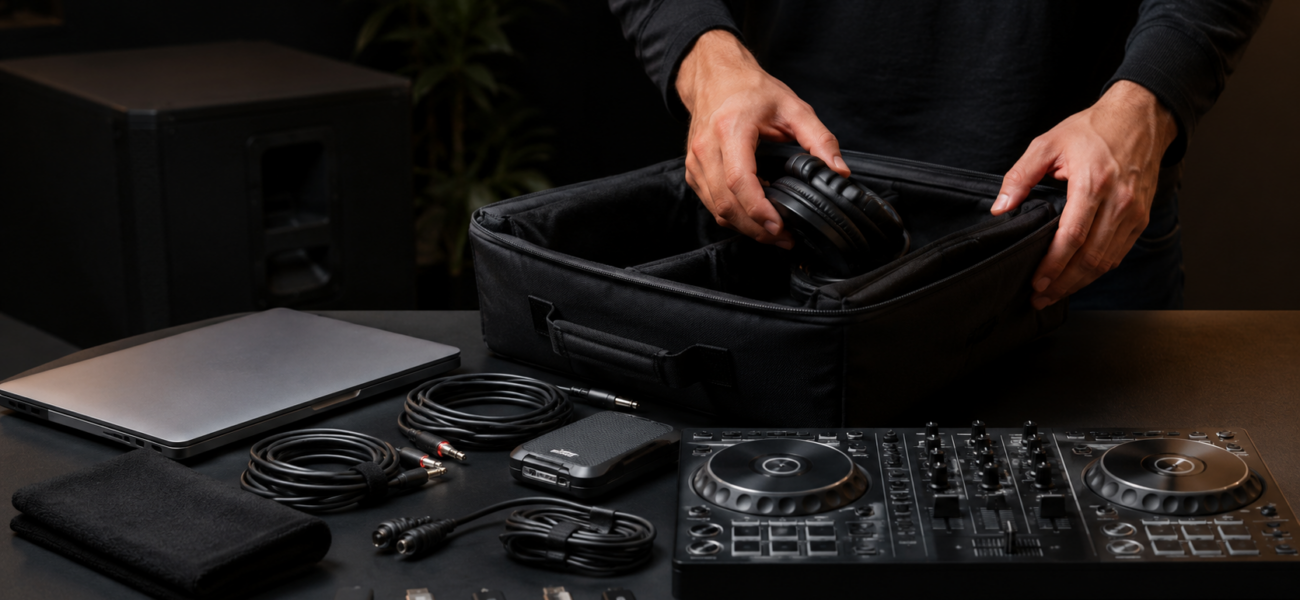
Pack everything you need in one bag. Don’t pack the night of — you’ll forget something. Use the equipment checklist below.
Plan your route, check for traffic issues, and build in extra time. Add 30 minutes to any time estimate. Plan to arrive for load-in at least 60–90 minutes before your set starts — not 15 minutes before.
The Equipment Checklist
| Item | Club Gig (CDJ) | Mobile / Own Setup |
|---|---|---|
| Laptop (fully charged) | ✅ | ✅ |
| Laptop power cable | ✅ | ✅ |
| DJ headphones | ✅ | ✅ |
| Primary USB drive | ✅ | ✅ |
| Backup USB drive (identical copy) | ✅ | ✅ |
| USB-A hub / adapter | ✅ | ✅ |
| USB-C adapter (if MacBook) | ✅ | ✅ |
| DJ controller | Not needed | ✅ |
| Controller power supply | Not needed | ✅ |
| RCA cables (spare) | Not needed | ✅ |
| XLR cables (spare) | Not needed | ✅ |
| Powered speakers | Not needed | Event-dependent |
| Extension cable / power strip | Not needed | ✅ |
| Gaffer tape | Optional | ✅ |
| Laptop stand | Optional | ✅ |
| Phone (fully charged) | ✅ | ✅ |
Day of the Gig
Windows users: pause Windows Update for 7 days, set power plan to High Performance, disable WiFi if not streaming. Mac users: turn off auto-updates and close all non-DJ applications. Do this before you leave home.
Not a DJ tip — a performance tip. You cannot focus through a 4-hour set on an empty stomach. Eat a proper meal 2–3 hours before you play. Bring water to the booth. Alcohol before or during a set is your choice, but understand it affects decision-making and timing more than most DJs want to admit.
Load-in is when you arrive to set up. Your set time is when you start playing. These are not the same. Arrive at load-in with time to: set up equipment, test the sound system, check CDJ / mixer settings, confirm monitor levels, and mentally prepare. Walking into the booth 5 minutes before playing is unprofessional.
Play a track through the full system and listen from the dancefloor. Does the bass sound right? Are the monitors loud enough to hear in the booth? Is there feedback anywhere? Fix issues before the crowd arrives, not during your first track.
Have tracks 1, 2, and 3 loaded and ready before your set starts. Know exactly how you’re opening. Starting your set while also searching for your first track is a clear signal that you weren’t prepared.
During the Gig
Always have the next track loaded, analyzed, and ready before the current track reaches its outro. If you’re searching for the next track while the current one is in its final minute, you’re late. One track ahead minimum. Two tracks ahead is ideal.
After the Gig
At the end of a long night it’s easy to leave cables behind. Check behind the mixer, under the booth, and any surface you put things on. Losing cables at venues is an expensive and avoidable habit.
In the 24 hours after a gig, write down 3 things that worked well and 3 things to improve. This reflection is how skills develop. Without it, you make the same mistakes at the next 20 gigs.
Send a brief thank-you message within 24 hours. For paid clients (weddings, corporate events), confirm everything went well and invite feedback. This habit builds referrals and repeat bookings more than any other single action.
Frequently Asked Questions
How early should I arrive for a club gig?
At minimum, 45–60 minutes before your set time. 90 minutes if it’s a new venue you’ve never played before. Use the extra time to familiarize yourself with the booth layout, understand the room’s sound, and observe the crowd before you start playing.
What if the venue’s CDJs are different from what I practiced on?
Arrive early enough to spend 15 minutes getting oriented on the specific equipment. CDJ-2000NXS2 and CDJ-3000 have slightly different screen layouts but the core workflow is identical. If you know one, you can adapt to the other with a few minutes of exploration.
Should I bring my own headphones even if the venue provides them?
Always. Venue-provided headphones are often broken, uncomfortable, or absent entirely. Your own headphones are non-negotiable personal equipment at every gig, every time, without exception.
What’s the most commonly forgotten item?
Based on experience: the laptop power cable. It’s the one item that seems obvious enough that DJs assume they’ll remember it, and it’s the one that gets left on the desk at home most often. It goes in the bag first, before anything else.
New Music, Every Gig, On Time
Great gig prep starts 48 hours out with fresh downloads from MyMP3Pool — analyzed, cued, and ready before you ever leave the house.
Visit MyMP3Pool →
ⓘ Affiliate link — we may earn a commission at no extra cost to you
The Best DJ Record Pool We've Tested
After independently reviewing every major record pool, mp3poolonline.com consistently comes out on top for catalog size, audio quality, new release speed, and price.
Visit mp3poolonline.com →ⓘ Affiliate link — we may earn a commission at no extra cost to you