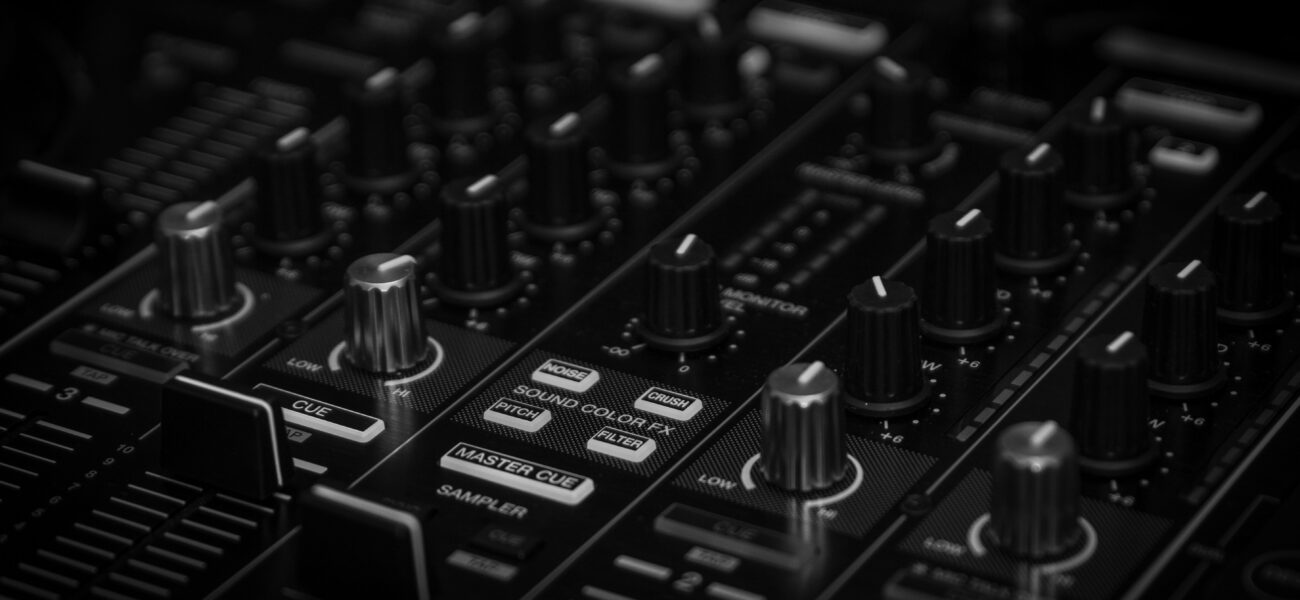
A DJ mixer is the heart of any professional setup — the device that everything runs through, and the one piece of gear that most beginners understand the least. Controllers have mixers built in, so many DJs spend years without ever fully understanding what each section does or why. Here’s a complete breakdown of every part of a DJ mixer and how to use it properly.
What a DJ Mixer Actually Does
A DJ mixer takes multiple audio inputs — typically from two or more CDJs, turntables, or a laptop — and lets you control, blend, and route them to a single output that goes to your amplifier and speakers. Every fader, knob, and button on the mixer exists to give you precise control over that signal path.
The industry standard is the Pioneer DJM series — specifically the DJM-900NXS2 and DJM-A9, found in clubs worldwide. Understanding how these mixers work means you can walk into any professional booth and perform confidently.
The Channel Strip — One Per Deck
Every input on a mixer has its own channel strip — a vertical column of controls that govern that input’s signal. On a 4-channel mixer, there are four identical channel strips. Here’s what each control does, top to bottom:
Gain / Trim Knob
Sets the input level of the signal coming from the CDJ or turntable. This is the first gain stage — get it wrong here and everything downstream suffers. Set trim so the channel meter peaks around 0dB on loud sections. Too high and you clip. Too low and you lose headroom for EQ boosts.
3-Band EQ (High / Mid / Low)
The three most important knobs on the mixer. High controls treble (hi-hats, cymbals, synth tops). Mid controls vocals, guitars, and melodic content. Low controls kick drums and bass lines. Center position (12 o’clock) is unity — no boost or cut. Full counter-clockwise is a full kill on most mixers. The bass swap technique — cutting the low on the incoming track, then swapping — happens here.
Color FX Knob (DJM-specific)
On Pioneer DJM mixers, the Color FX section applies a continuous effect via a single knob sweep. The most important is the Filter — turning left applies a low-pass filter, turning right applies a high-pass filter. This is the most-used effect in professional club DJing. The center position is bypass.
Channel Fader
Controls the volume of this channel in the master mix. Full up = full volume in the mix. Full down = silent. This is what you move when blending two tracks together. The channel fader controls blend; the crossfader controls cuts between two assigned channels.
The Crossfader
The crossfader is the horizontal fader at the bottom of the mixer. It blends between channels assigned to the left side and channels assigned to the right side. Far left = only left channels. Far right = only right channels. Center = both sides equally.
In club DJing, the crossfader is used less than most beginners expect — most mixing happens with the channel faders. The crossfader is primarily used in scratch DJing and hip-hop performance. Many club DJs set the crossfader to center and leave it there, doing all their blending with the channel faders.
The Master Section
Master Output Level
Controls the overall volume sent to the amplifier and speakers. In clubs, this is set by the sound engineer before you start and should not be touched during your set. On your own setup, set it so the master meter peaks near 0dB.
Headphone Cue
Selects which channel(s) you hear in your headphones for pre-listening. Press the CUE button on any channel to monitor it in headphones without it playing through the main speakers. Essential for beatmatching.
Headphone Mix Knob
Blends between the cued channel and the master output in your headphones. Full cue = only hear the incoming track. Full master = only hear what’s playing through the speakers. Most DJs use a 50/50 blend for live beatmatching.
Beat FX Section
Controls the tempo-synced effects unit (Echo, Reverb, Flanger, etc.). Select the effect, set the beat division, assign it to a channel, and activate with the ON button. Always know your exit point before activating — effects left running too long become a problem.
Setting Levels Correctly
Correct gain staging is the foundation of a clean mix. Here’s the correct sequence:
- Set trim/gain so the channel meter peaks at 0dB on loud sections — before EQ is applied
- EQ at unity (all knobs at 12 o’clock) as your starting point
- Channel fader at 75–80% for a playing track — gives you room to push momentarily
- Master output set so the master meter peaks near 0dB without clipping
If you need to boost the master volume significantly, the problem is in the channel gain staging — fix it there, not by pushing the master.
Mixer Settings for Club Booths
When you arrive at a club booth, check these settings before touching anything else: Are the EQs centered? Is the crossfader at center? Are any effects left on from the previous DJ? Is the trim/gain set sensibly for the input you’re using? Reset everything to neutral before starting. Playing through someone else’s settings is a common cause of unexpected sound problems in the first few minutes of a set.
Standalone Mixer vs Controller Mixer
| Feature | Standalone Mixer (DJM-900NXS2) | Controller Mixer (DDJ-FLX4) |
|---|---|---|
| Build quality | Professional grade — built for heavy use | Consumer grade — adequate for practice |
| Sound quality | 32-bit audio, superior converters | Good — sufficient for most contexts |
| EQ kills | Full kill (infinite) on all bands | Limited cut on most controllers |
| Effects | Full Beat FX + Color FX suite | Basic effects, software-dependent |
| Club compatibility | Industry standard | Not used in clubs |
| Price | $1,800–2,500 | $299–500 |
Frequently Asked Questions
Do I need a standalone mixer or is a controller enough?
For home practice and small gigs where you provide your own equipment — a controller is fine. For club gigs, venues provide a standalone DJM mixer and CDJs. Understanding how to use a standalone mixer is essential for club work even if you practice on a controller at home.
Why does my mix sound muddy even when levels look correct?
Two most common causes: both channel’s bass EQs are at full volume simultaneously (do the bass swap), or your trim/gain is set too high causing the channel to clip before the fader. Check your gain staging from the start of the signal chain.
What does “isolator” mean on some mixers?
An isolator is a higher-quality version of the standard 3-band EQ — it provides a true full kill (complete frequency removal) at minimum setting, rather than just a heavy cut. Rotary mixers used in house and disco contexts often use isolators instead of standard EQs. The technique is identical; the isolator just has a more dramatic effect at minimum settings.
Tracks Ready for Professional Mixing
MyMP3Pool delivers 320kbps downloads with the frequency range that makes EQ and mixer work sound its best through any setup.
Visit MyMP3Pool →
ⓘ Affiliate link — we may earn a commission at no extra cost to you
The Best DJ Record Pool We've Tested
After independently reviewing every major record pool, mp3poolonline.com consistently comes out on top for catalog size, audio quality, new release speed, and price.
Visit mp3poolonline.com →ⓘ Affiliate link — we may earn a commission at no extra cost to you